Waiting lists
If an appointment time is full, it is normally displayed as occupied and no further bookings are accepted. However, you can also set up a waiting list. Then customers who could not make a booking for this time can put themselves on the waiting list. If a place then becomes available, their waiting list place is automatically converted into a booking and they are informed by e-mail.
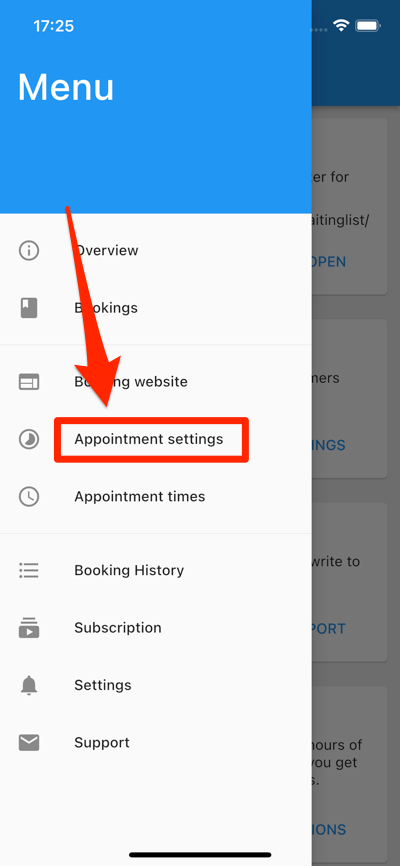
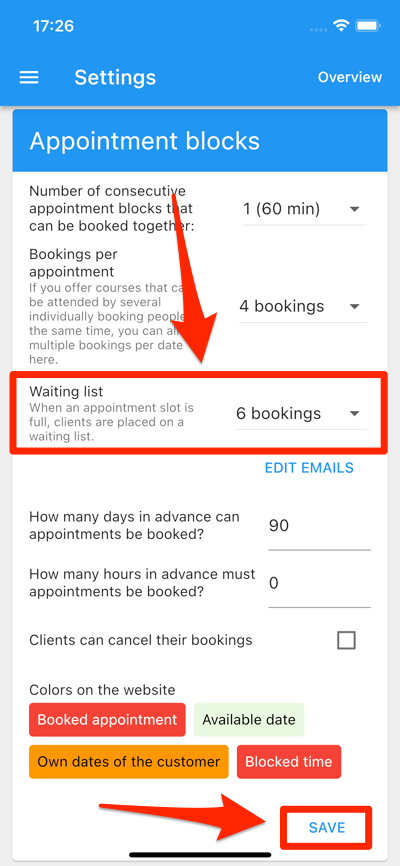
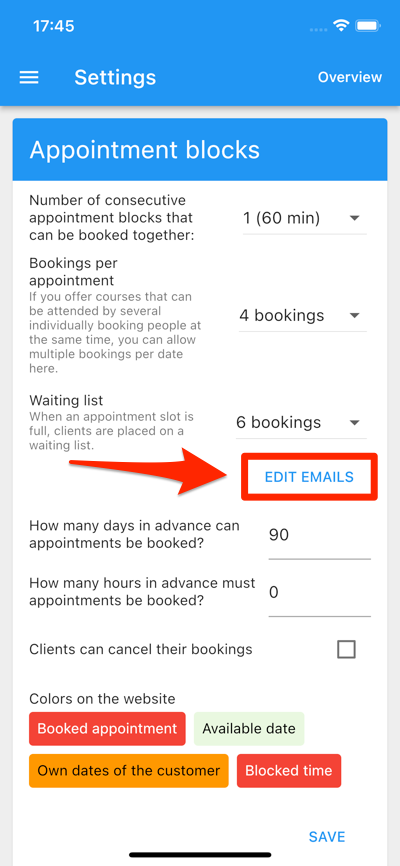
One can define how many waiting list places there should be for this in the “Appointment settings” screen:
If customers then make a booking but the appointment time is full, a notice will appear:
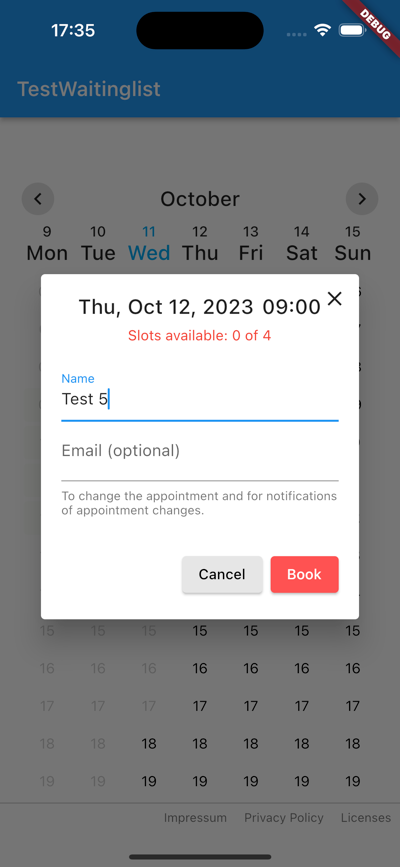
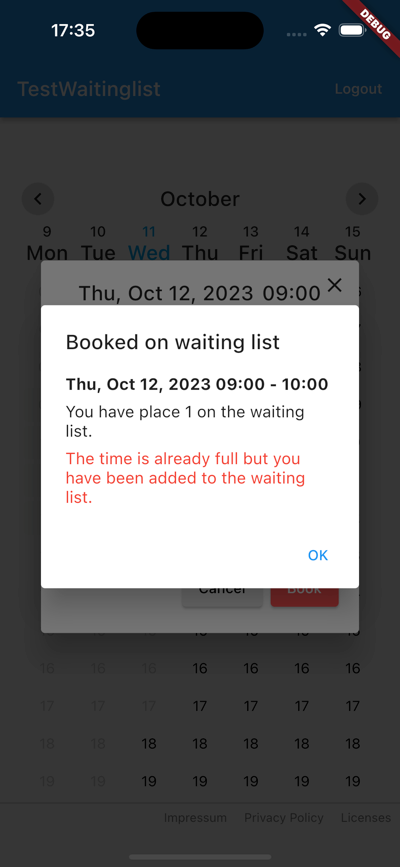
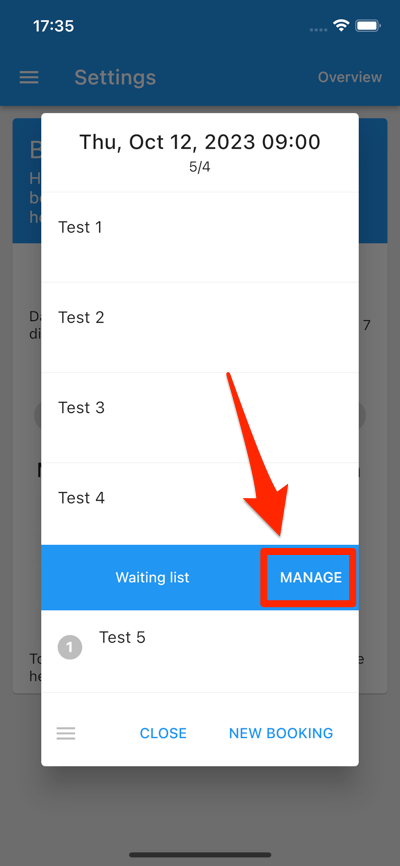
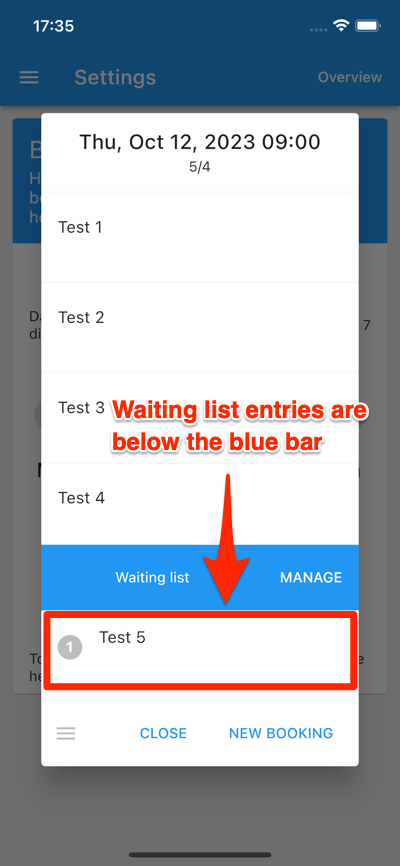
You can see in the app which customers have a booking and which have a waiting list spot.
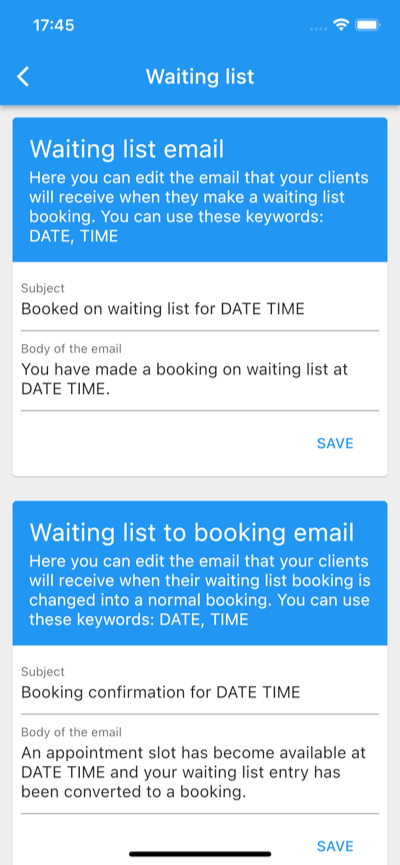
When a slot becomes available, the customer at the top of the waiting list automatically receives a regular booking and is notified by email (if they have entered an email address in the booking). You can edit these emails by tapping “Edit emails” in the “Appointment settings” screen:
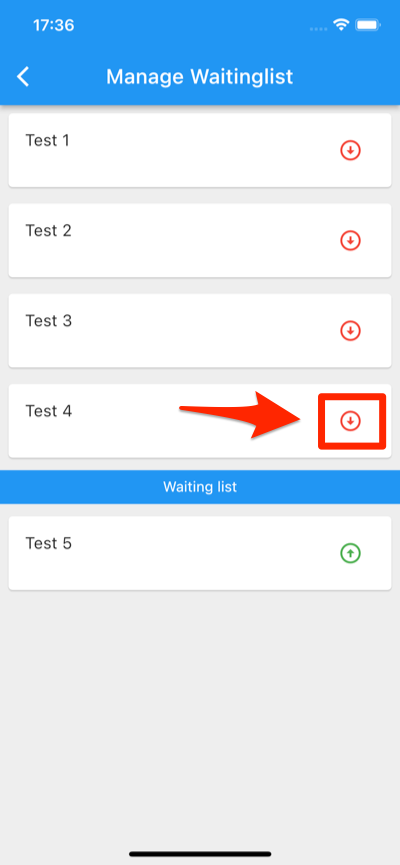
However, this automatism can also be switched off (please ask the support if you would like it to be switched off). If places then become free, you can move people from the waiting list to the booking list yourself. Just tap the “Manage” button. There you can move people from the booking list to the waiting list or from the waiting list to the booking list: